Suspending members with overdue subscriptions
There is a warning message / restriction in place for members with subs/account overdue.
You can see this in various different places within the platform including on Scorecards and in the tee booking area. Below is an example of how the overdue warning is displayed :
In the kiosk the following message will be displayed:
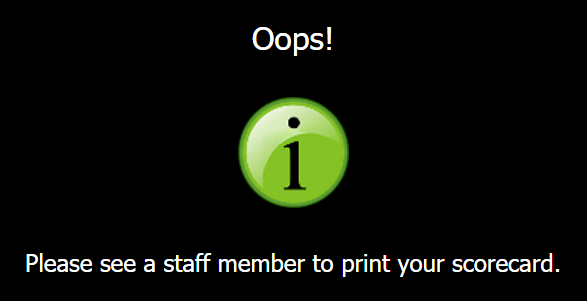
However, the following rules apply:
- There is a grace period (the default is 60 days). This is managed through DotGolf > Settings > Member Kiosk > "Subscriptions Overdue Grace Period". This can be changed to suit your preferred Grace period.
- The warning / restriction only applies if the overdue amount is more than £10
The club have the ability to view a report of members with "overdue warning" (this takes into consideration the two points just above)
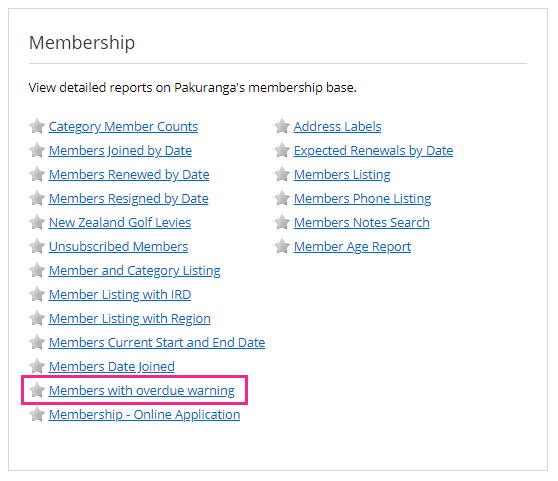
If you wish to remove a players playing ability with the club until they have paid their subscriptions then there are a couple of ways to do this.
Option 1
You can mark the player as unfinancial. This will then resign the players CDH number and they will be unable to join another Golf Club or play at your club until they have settled their account. The ‘unfinancial’ status should be used responsibly and only where there is a genuine intention to recover outstanding dues. Clubs are advised to include appropriate wording within their Membership Terms and Conditions to make members aware that restrictions may be applied in these circumstances.
To do this, go to the players membership profile, and click "Resign".
Then you'll be able to tick on unfinancial and save your changes.
Option 2
The second option if the player is still on an automatic payment plan is to create a separate membership category that has no playing rights and temporarily move the player into this category whilst their fees are overdue.
Firstly you'll need to create the new Membership Category and ensure you don't apply any playing rights:
Then you'll need to apply this membership category to the player and Save the Change:
This won't affect the invoice or the payments due because you are changing the category after the invoice has already been sent out. This will still give some function to the player including use of member accounts and ability to submit general play scores but their ability to book causual tee times or competitions at your club will be withdrawn.
Related Articles
Set Up your Subscription Payment Plan Using Your Club Members Account
Set Up your Subscription Payment Plan Using Your Club Members Account Made by Alan Brown with Scribe Follow these steps to commence payments to your Club Subscription Personal instalment plan. Learn how to log in, navigate your account, and complete ...Webinar: Subscriptions
Here is a video on running Subscriptions:Adding in Line Items for your subscriptions
1. Click "SETTINGS" 2. Click "Subscription Line Items" 3. You will then see some basic Item options. Please use the Custom Name field to identify the item as this field is the one used across the platform. 4. You can then input the cost of the item. ...Viewing Club Members General Play Scores in Clubhouse Reports
1. Navigate to Clubhouse 2. In Clubhouse, Click "REPORTS" 3. In Handicapping Click "General Play Scores" 4. Select the date range you wish to search members General Play Scores submissions 5. Select Membership Categories and the Click Preview 6. You ...How to Set Up Subscription Payments From Your Scottish Golf Members Account
How to Set Up Subscription Payments From Your Scottish Golf Members Account Made by Alan Brown with Scribe This guide will walk you through the process of making a payment on an account, specifically detailing the steps to navigate to the payment ...