Set Up your Subscription Payment Plan Using Your Club Members Account
Set Up your Subscription Payment Plan Using Your Club Members Account
Follow these steps to commence payments to your Club Subscription Personal instalment plan. Learn how to log in, navigate your account, and complete your payment securely.
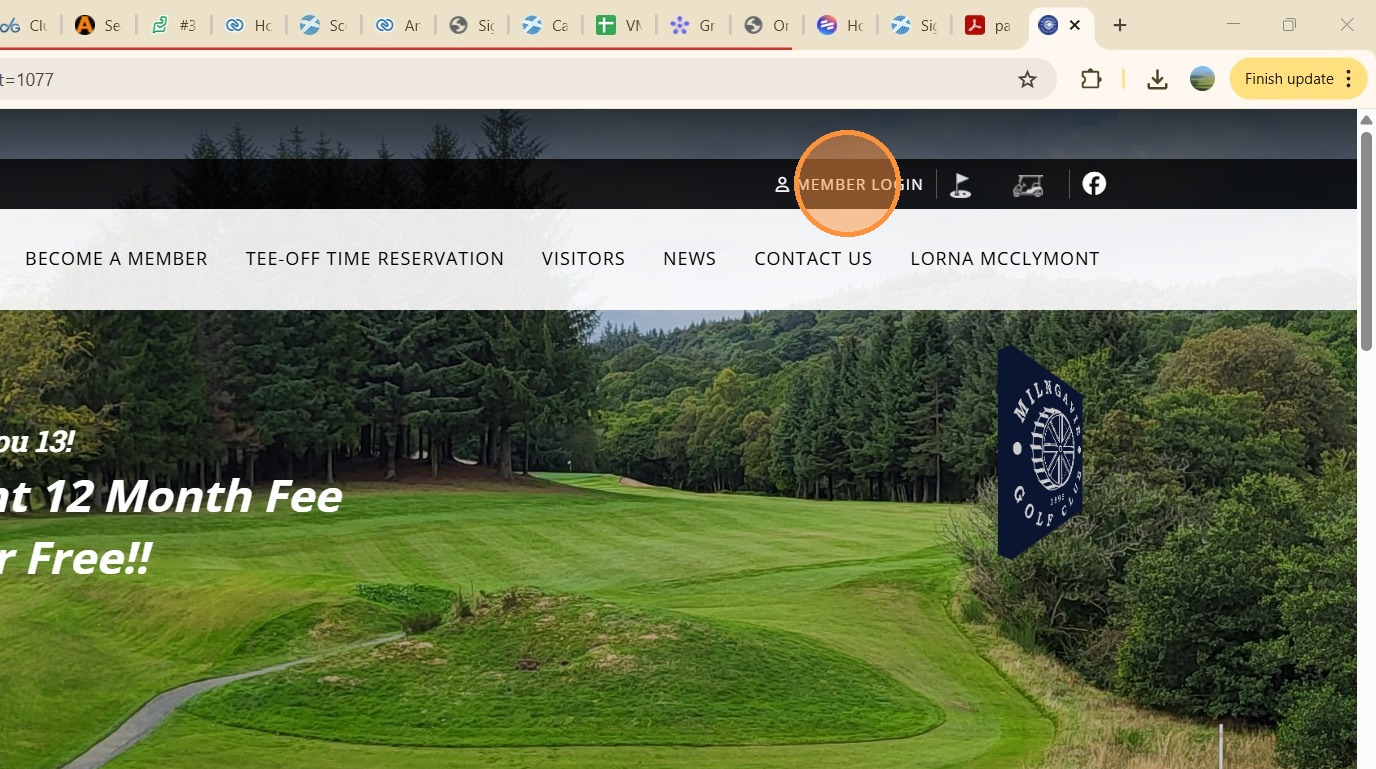
1. n the club website Click "MEMBER LOGIN"
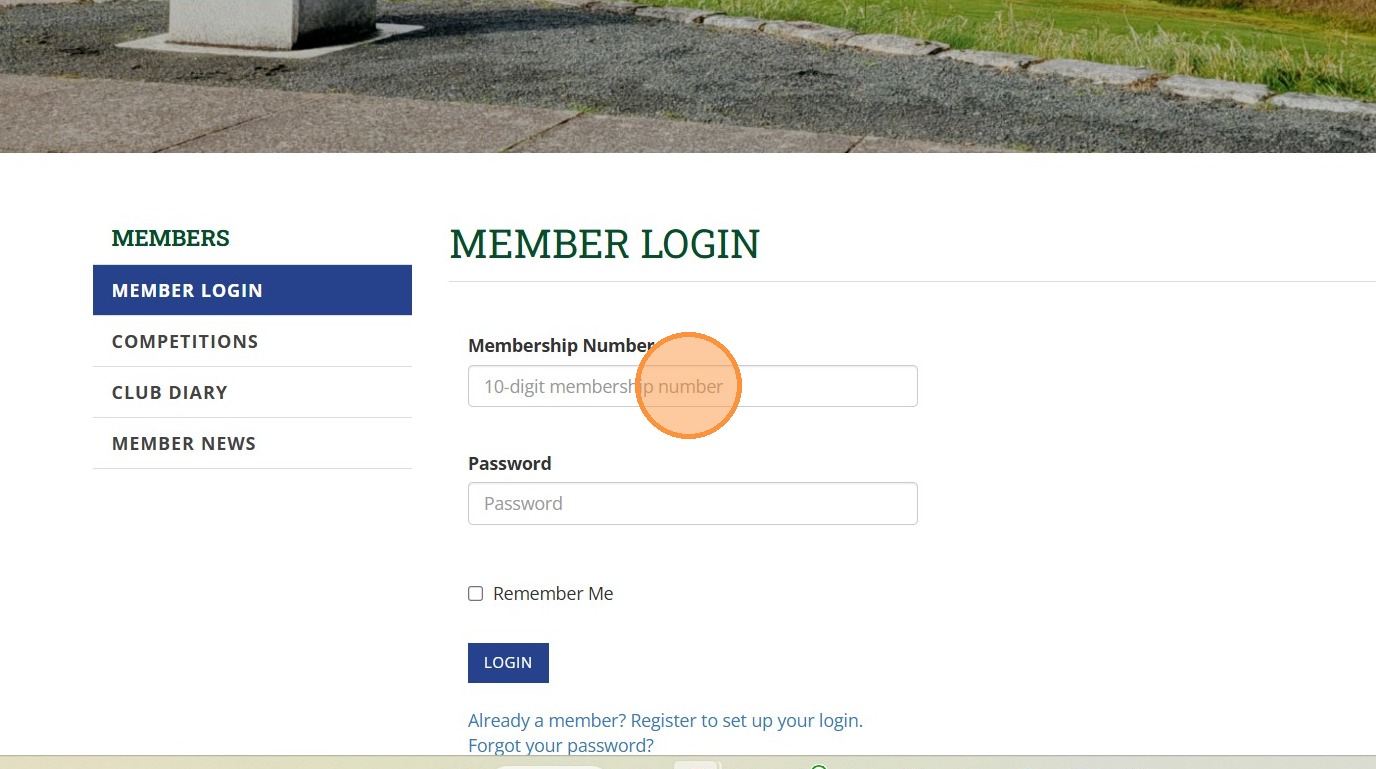
2. Click your 10-digit membership number and password as used for the Scottish Golf APP
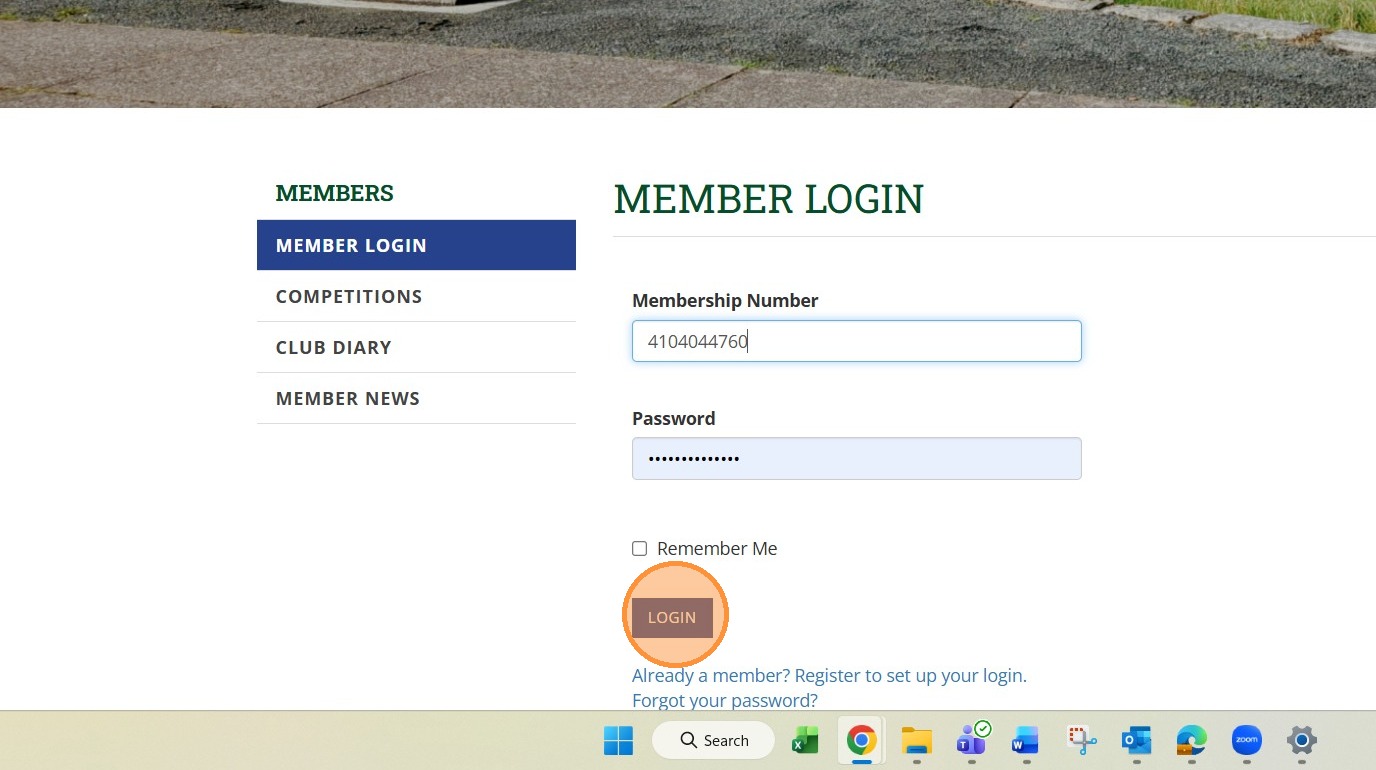
3. Click "Login"
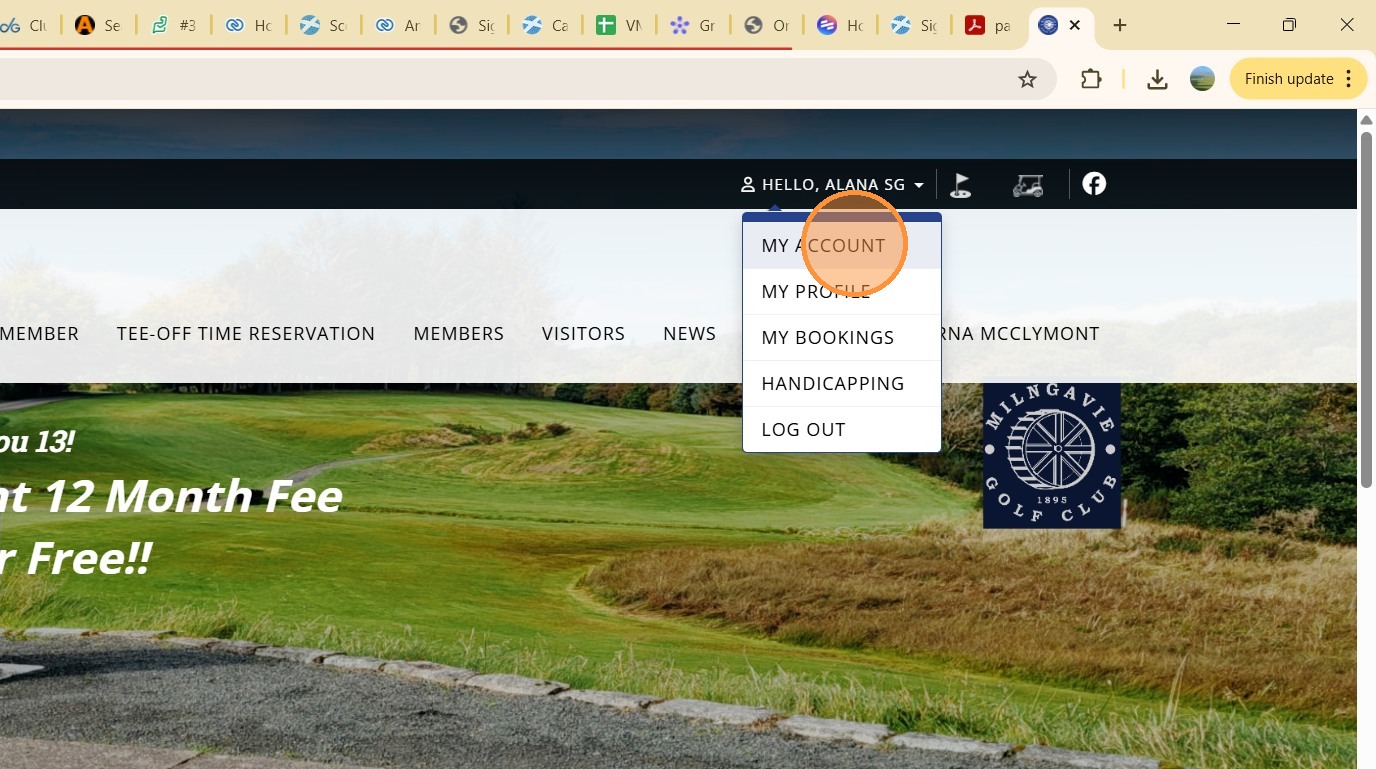
4. Click the dropdown arrow next to your name
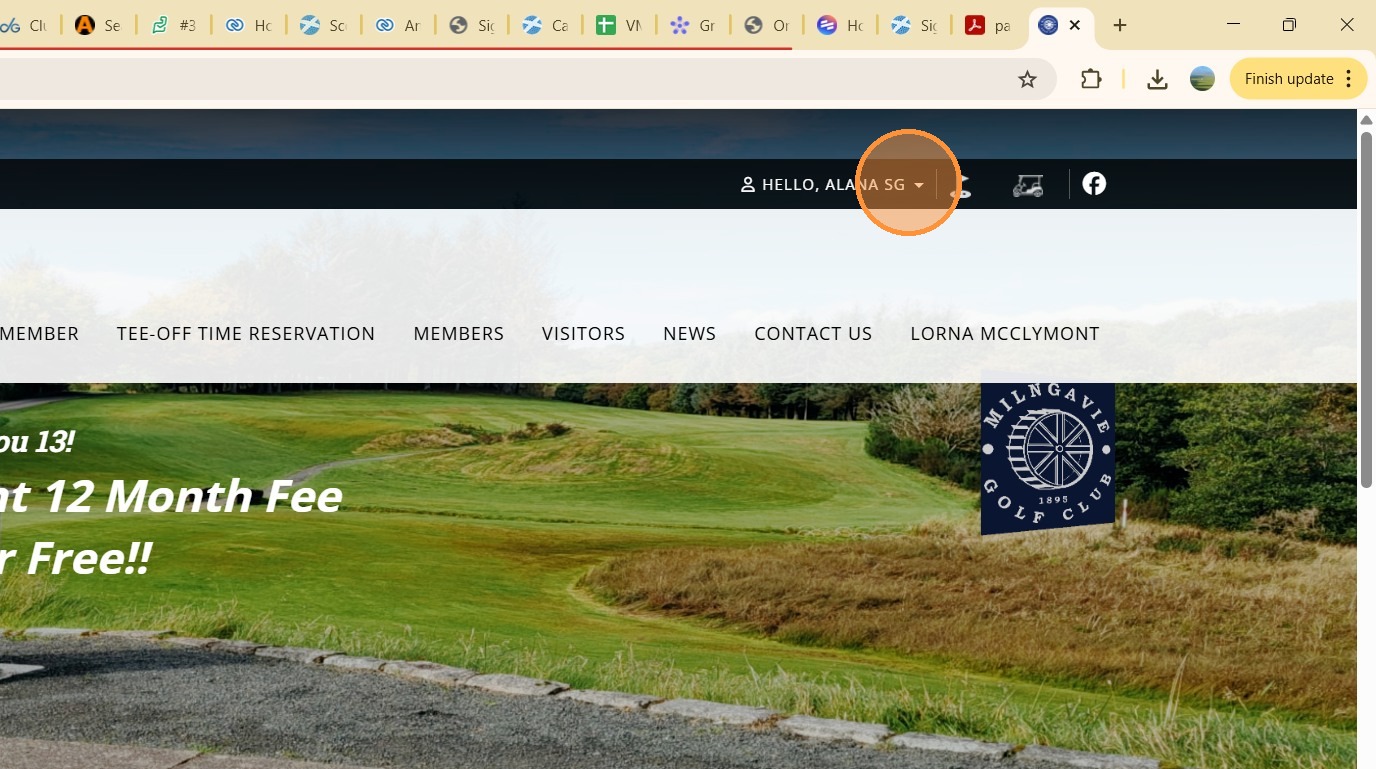
5. Click "MY ACCOUNT"
6. This now takes you to your Scottish Golf Members Account where your club subscription invoice is held.
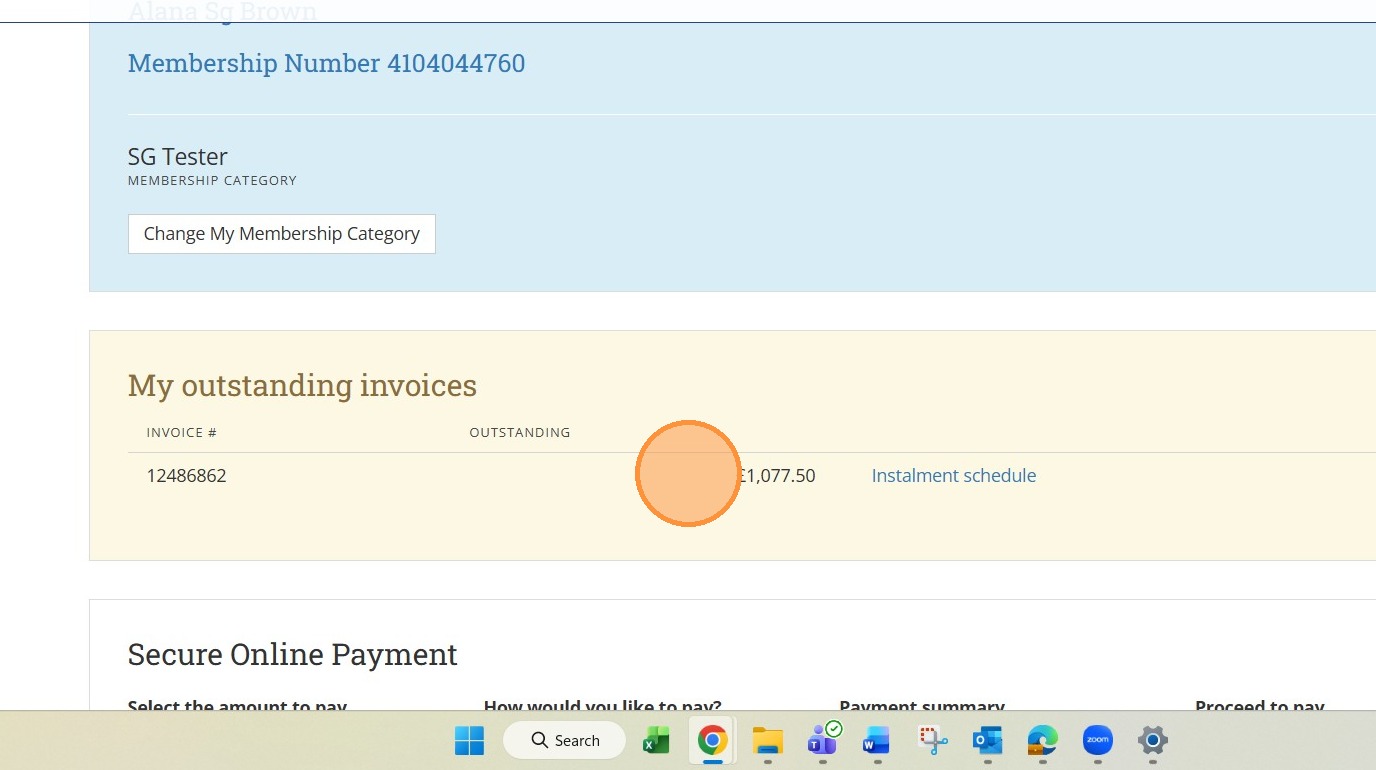
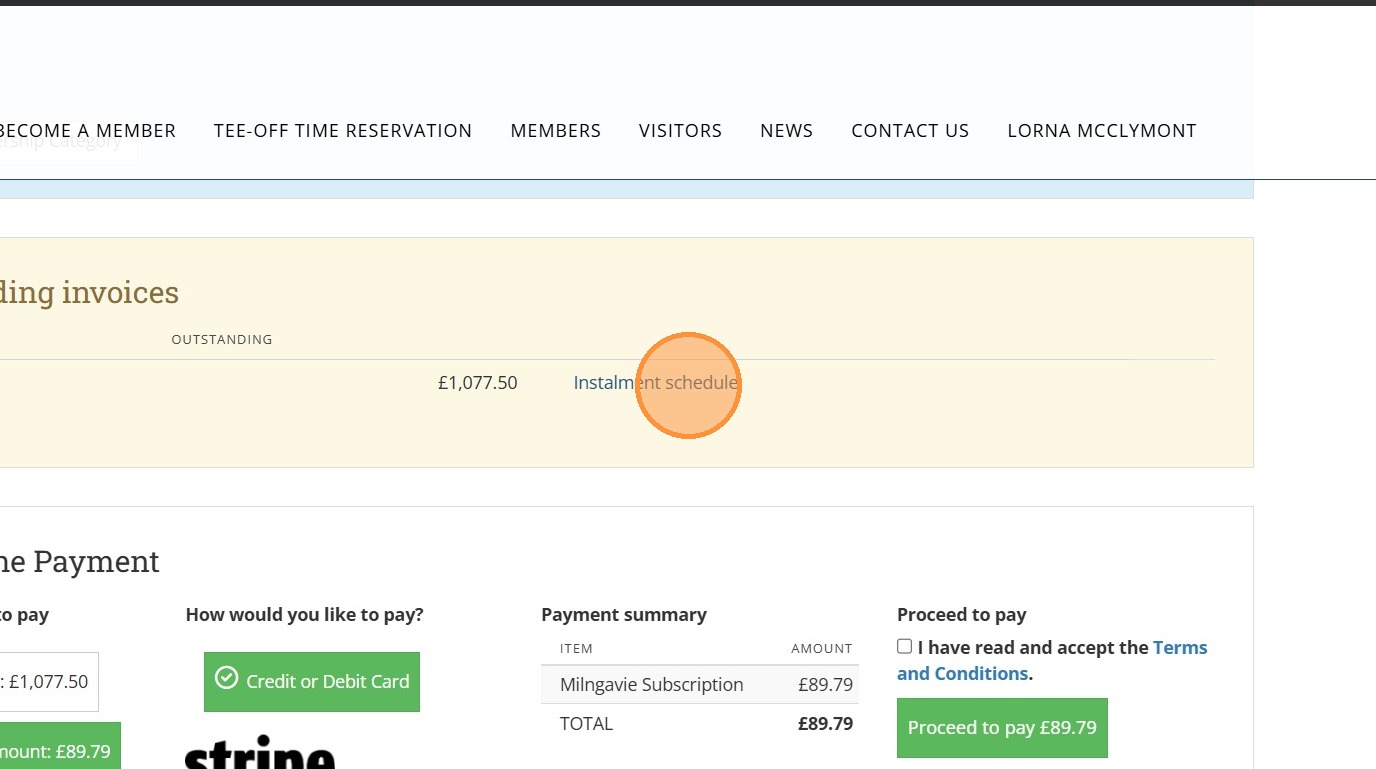
7. To view the payment schedules attached to your invoice Click "Instalment schedule"
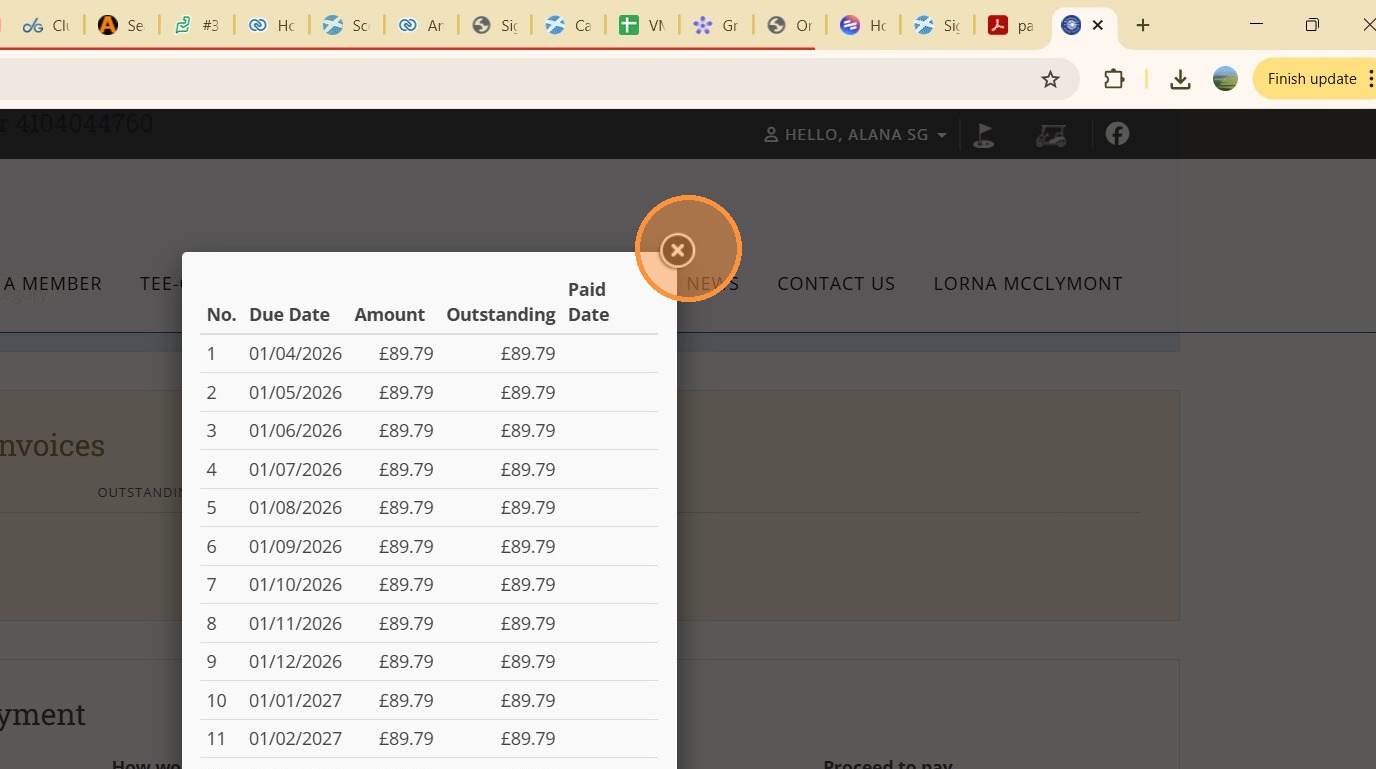
8. The dates are the days when your payment will be taken from your stored card that you will now add - to close the schedule Click here
9. To initiate the payment schedule you are required to complete the first payment. To do this Click "I have read and accept the Terms and Conditions."
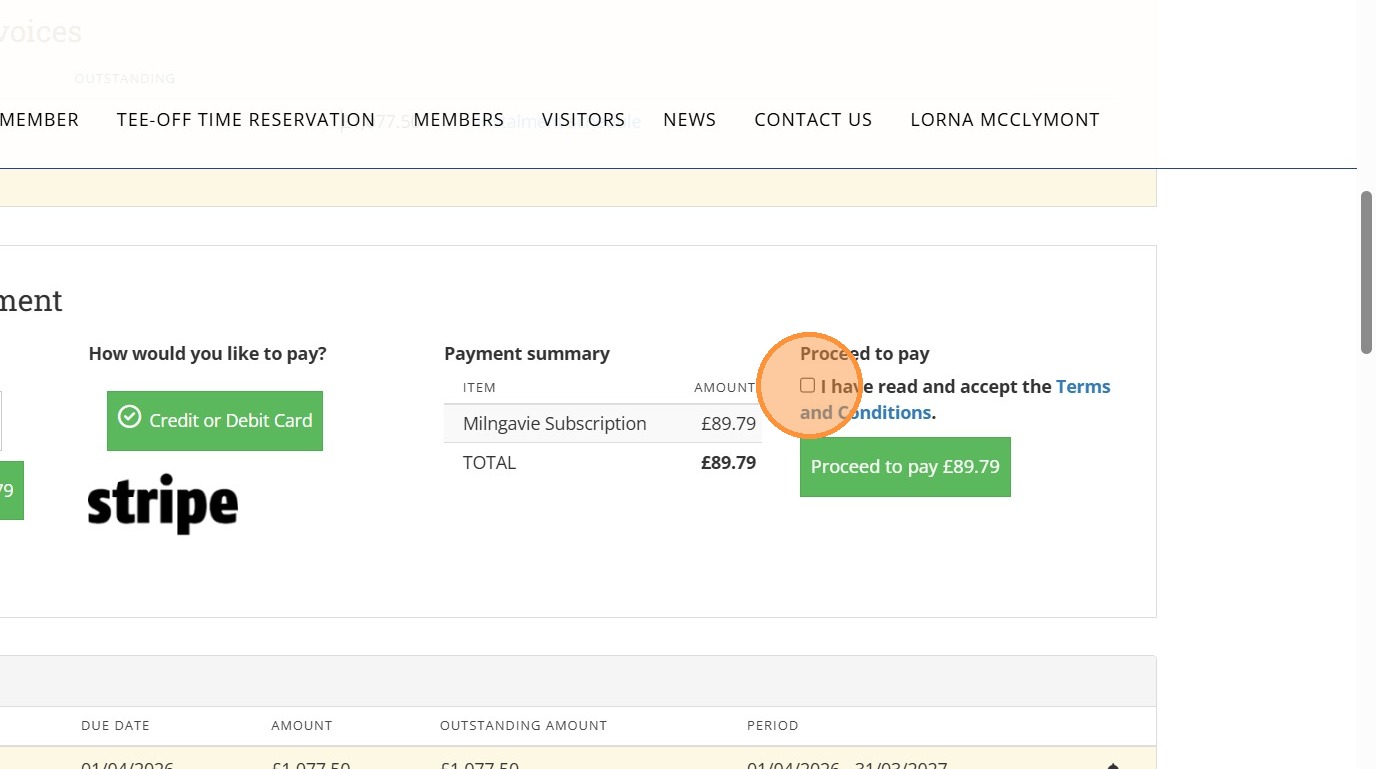
10. Click "Proceed to pay £89.79"

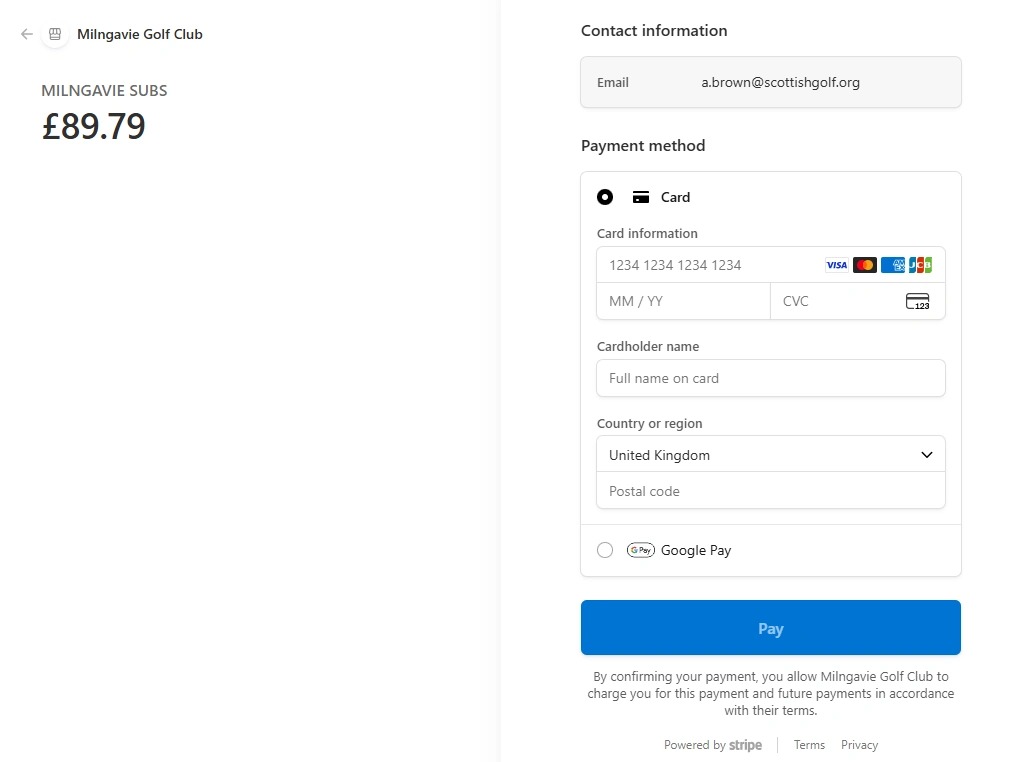
11. Now add a billing card and then select "PAY"
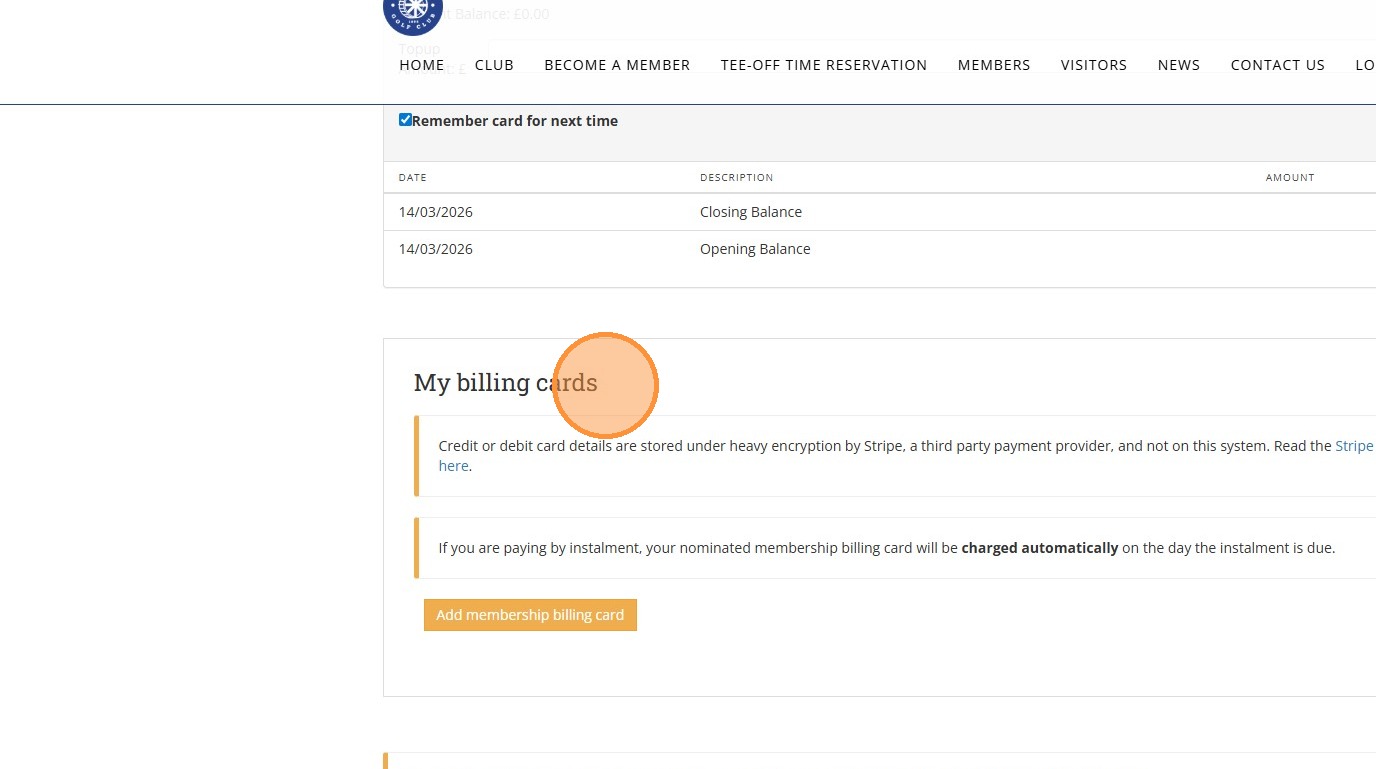
12. Your saved Billing card will then appear in your members account and be used to take payment each month as per the subscription payment schedule.
Tip: Tip!
Related Articles
How to Set Up Subscription Payments From Your Scottish Golf Members Account
How to Set Up Subscription Payments From Your Scottish Golf Members Account Made by Alan Brown with Scribe This guide will walk you through the process of making a payment on an account, specifically detailing the steps to navigate to the payment ...VMS Onboarding Overview & Guidance - Project Plan
The below template is aimed at helping you manage your transition from existing provider to VMS. It details steps involved to configure specific modules as well as considerations you should take before and during the migration period. There is an ...Suspending members with overdue subscriptions
There is a warning message / restriction in place for members with subs/account overdue. You can see this in various different places within the platform including on Scorecards and in the tee booking area. Below is an example of how the overdue ...Creating a Subscription LIne Item Report - Lockers and Trolleys
1. Navigate to https://live.clubhouse.scottishgolf.org/Default.aspx 2. At this time there are no bespoke locker or trolley reports as part of the VMS suite of reports. You can however compile a record of these and al items that form a members ...Recording a Subscription Payment on the Scottish Golf Clubhouse in a Members Profile
1. Navigate to https://live.clubhouse.scottishgolf.org/TabMember.aspx?MemberId=595794 2. In the members subscription profile Click "Enter Payment" 3. Select the payment method - in this example we have used "Cash" option. 4. Click this text field and ...