Junior Skills Challenge - results bulk upload via csv.
1. Navigate to https://www.scottishjuniorgolf.org/

2. Click "MENU"

3. Click "Login"

4. Click "CLUB LOGIN"

5. Enter your club account email and password credentials and click "LOGIN"

6. Click "Skills Challenge"
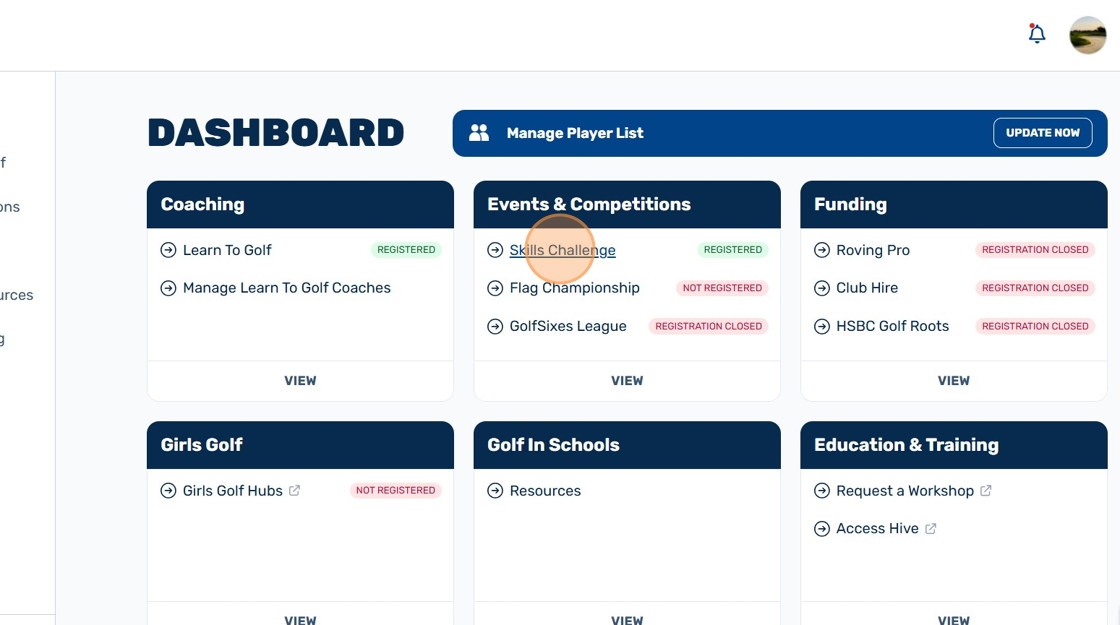
7. Click "Manage Players & Upload Results"

8. Click "Download Player Data"

Tip: A csv formatted excel file will appear in your downloads with all of your existing results. These players scores can be updated, as well as adding new players.
Alternatively, clubs adding players to skills challenge for the first time will receive a blank template document to upload their players.
Do not alter the format of the template you have received when adding player information, or the upload will not work.
9. Save your completed csv template to your desktop, somewhere you can access this easily.
10. Click "Browse my Computer"
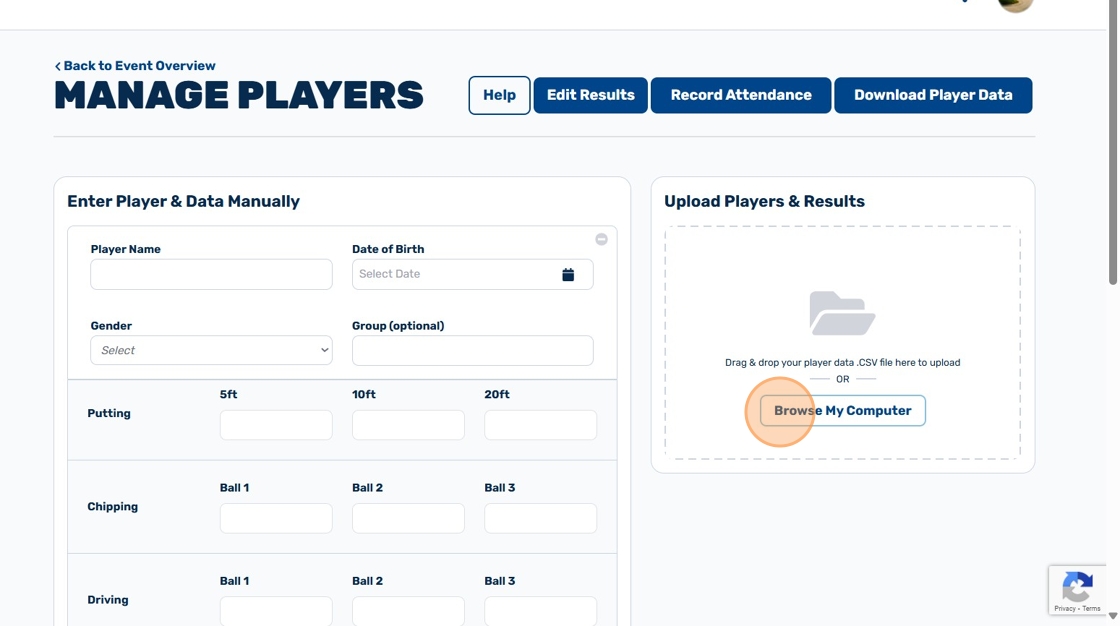
11. Look for your recently saved csv file on your desktop and upload this by double clicking on the file.
12. Scroll to find "Player List" and ensure the new and existing player information has been updated

Related Articles
Junior Skills Challenge - how to view leaderboard results
1. Navigate to https://www.scottishjuniorgolf.org/ 2. Click "MENU" 3. Click "Login" 4. Click "CLUB LOGIN" 5. Click this text field. 6. Click "Login" 7. Click "Skills Challenge" 8. Click "View Results" 9. Select "Age Group" & "Gender" as compulsory ...Junior Events & Competitions
Scottish Golf's Events & Competition programmes encourage a fun, relaxed and competitive team-based environment for juniors developing their game. Delivered with partners, our three Events & Competition programmes support progression to on-course ...Manage players in Junior Golf Site - adding player information individually
1. Navigate to https://www.scottishjuniorgolf.org/ 2. Click here. 3. Click "Login" 4. Click here. 5. Click this text field. 6. Click "Login" 7. Click "update now" 8. Click the 'Player Name' box and enter the name of your player. 9. Click the date ...What is Learn to Golf?
Learn to Golf is Scottish Golf's national coaching programme. Developed in partnership with the PGA, Learn to Golf develops junior golfers over 5 progressive levels. Each level incorporates core modules which teach positive life skills through fun ...CGI Accessing Instructor Resources on Scottish Junior Golf Website
1. Navigate to https://www.scottishjuniorgolf.org/ 2. Click here. 3. Click "Login" 4. Click Coach & CGI Login 5. Enter your email & password and click login 6. Click "VISIT RESOURCE CENTRE" 7. Click the eye icon to quick-view any resource booklet 8. ...