CGI Accessing Instructor Resources on Scottish Junior Golf Website
1. Navigate to https://www.scottishjuniorgolf.org/

2. Click here.

3. Click "Login"

4. Click Coach & CGI Login

5. Enter your email & password and click login

6. Click "VISIT RESOURCE CENTRE"

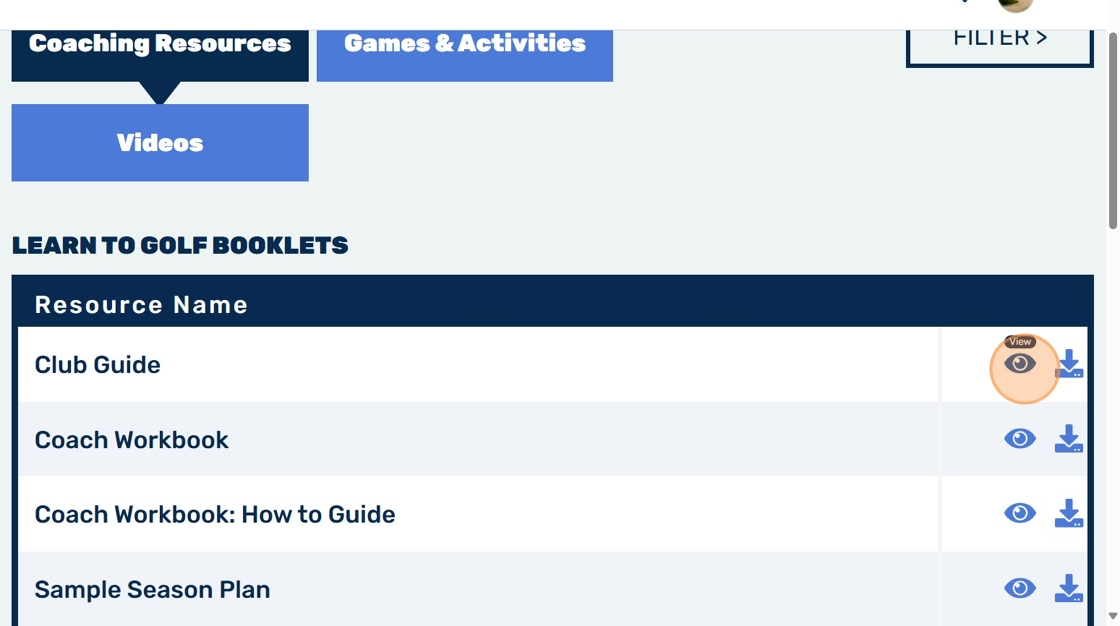
7. Click the eye icon to quick-view any resource booklet
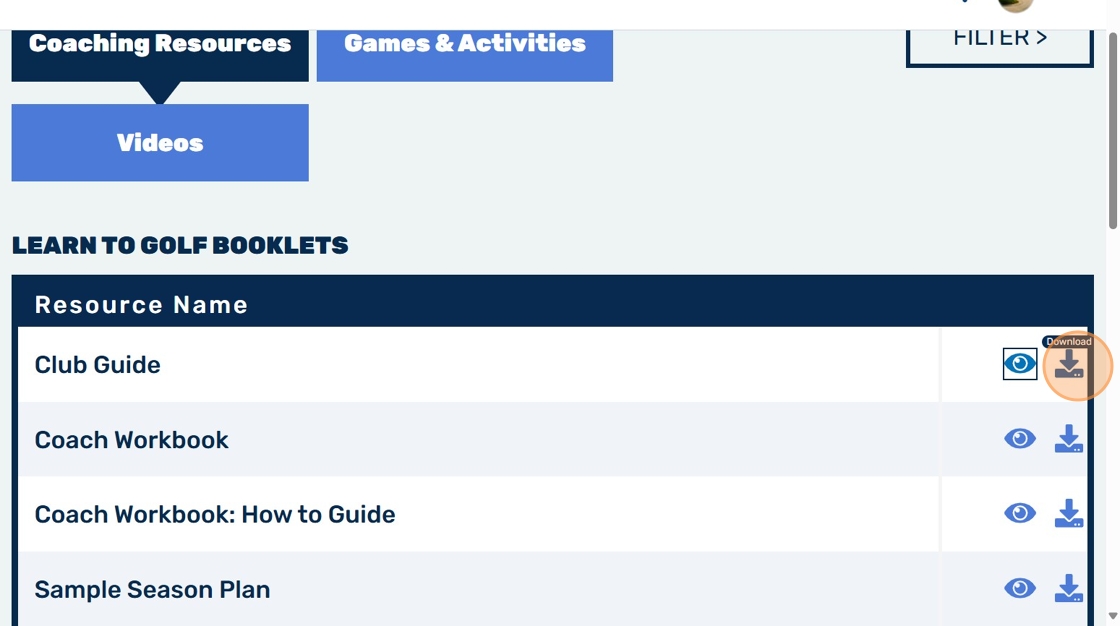
8. Click this icon to download any booklet to desktop
Related Articles
Registering a CGI user account
1. Navigate to https://www.scottishjuniorgolf.org/ 2. Click "MENU" 3. Click "Register" 4. Click "REGISTER AS A CGI" 5. Once you have reviewed the terms & conditions 6. If you are a CGI not affiliated with a Golf Club, select "Scottish Golf CGIs". ...Accessing Golf Learning Resources Online
1. Navigate to https://www.scottishjuniorgolf.org/club/ 2. Click "Learn To Golf" 3. Click "VISIT RESOURCE CENTRE" 4. Click "VISIT RESOURCE CENTRE" 5. Click this icon. 6. Click here.How To Log Out Of Scottish Junior Golf Website
1. Navigate to https://www.scottishjuniorgolf.org/club/ 2. Click this image. 3. Click "Logout" 4. Click "log out"Junior Events & Competitions
Scottish Golf's Events & Competition programmes encourage a fun, relaxed and competitive team-based environment for juniors developing their game. Delivered with partners, our three Events & Competition programmes support progression to on-course ...Golf in Schools
Scottish Golf works with a wide range of partners to support more opportunities for young people to receive a fun introduction to golf in the school and community setting, linking to local clubs and promoting lifelong participation. Learn more about ...