How to Change Your Membership Category
2. Once logged in, click "My Account" from the drop down menu on the top right of the page.
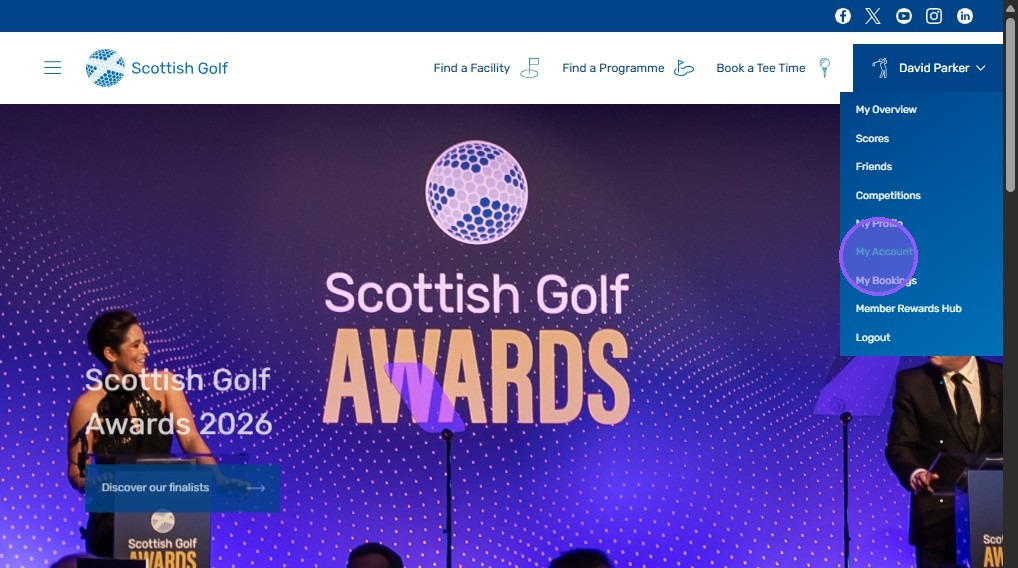
3. This will take you to the 'My Account' page where you will be able to change your membership category for renewal.
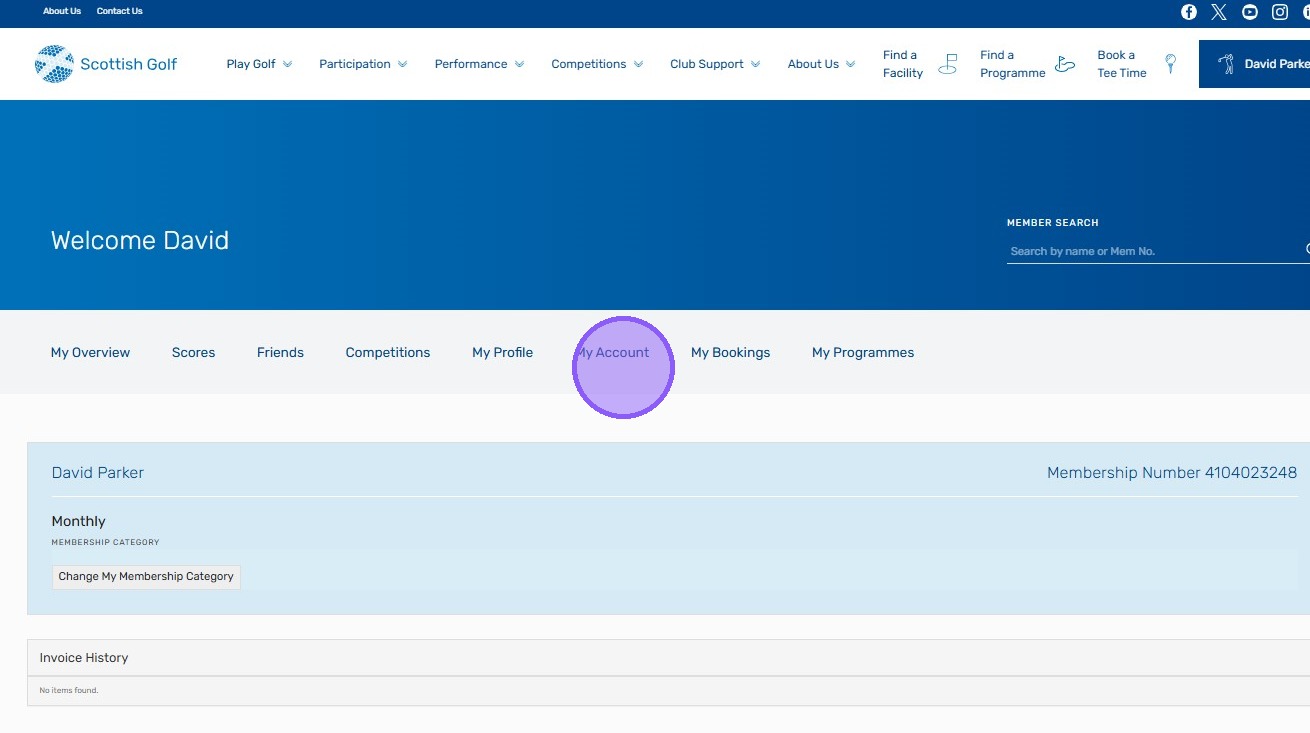
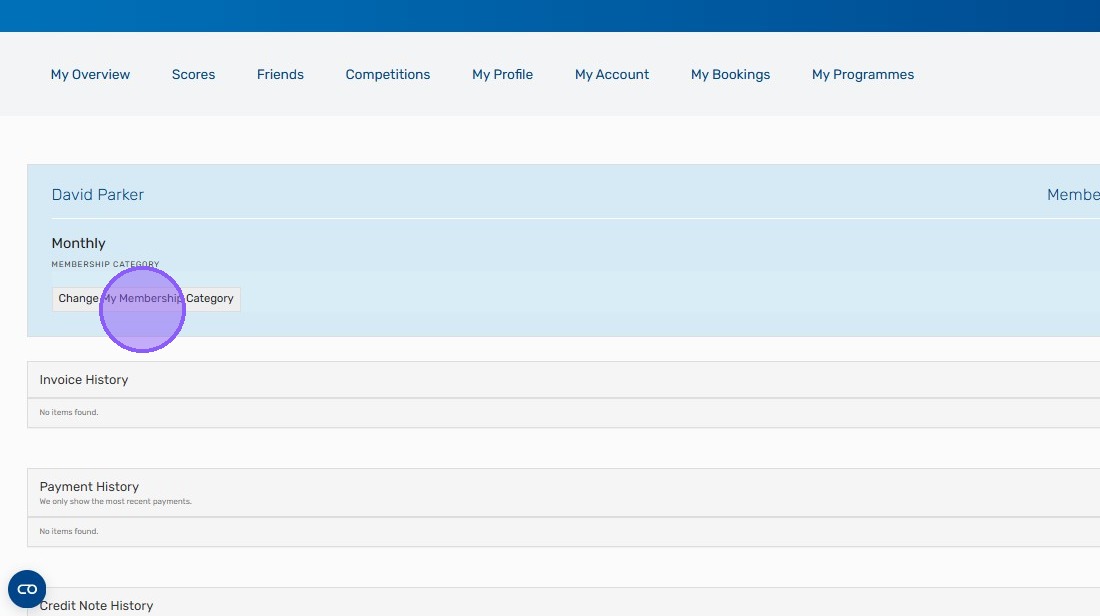
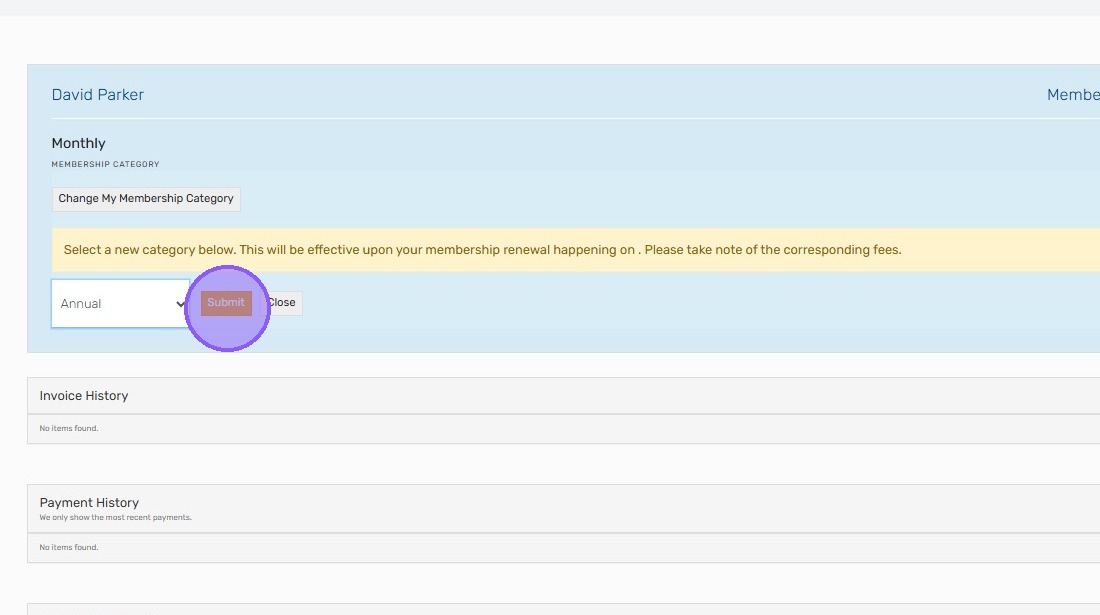
4. Click "Change My Membership Category"
5. You will now be able to select the category you wish to change to. If you are switching from Monthly to Annual then this will automatically switch you onto an annual membership for your next billing period.
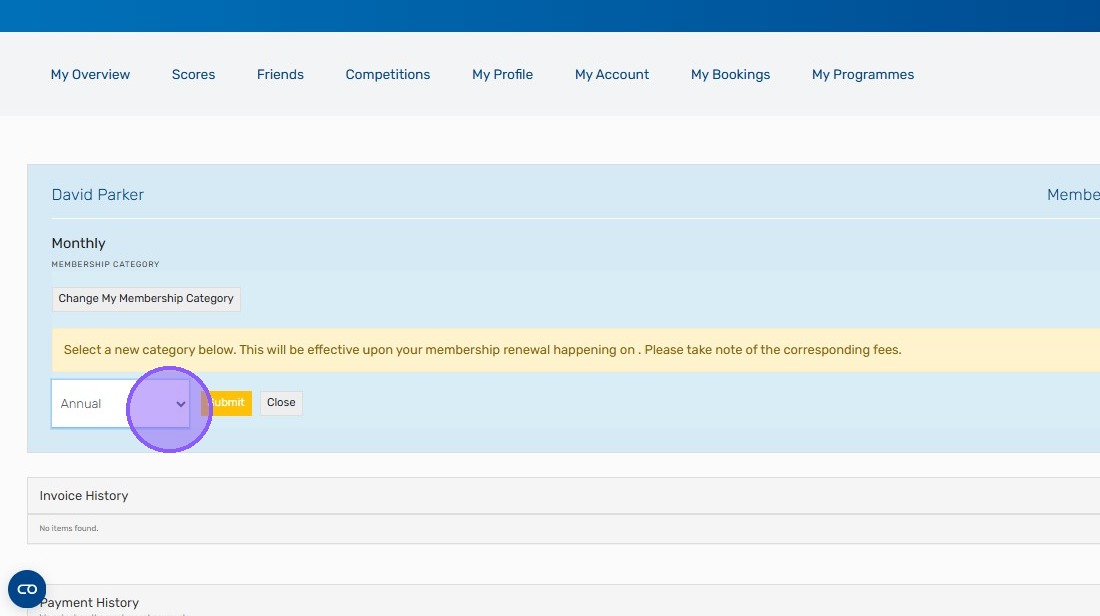
6. Click "Submit" to finalise the decision.
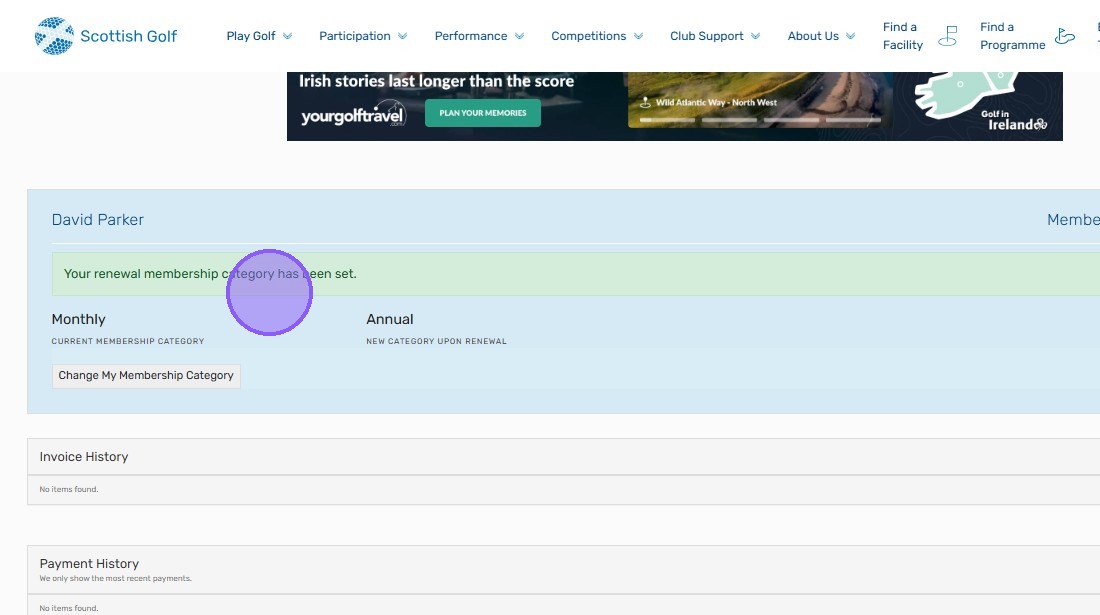
7. You will then see "Your renewal membership category has been set." as a confirmation message.
Related Articles
Invalid Membership Number
When entering your Membership Number to register on the Scottish Golf website, you may receive the below error message: This means that your Membership (CDH) Number can't be found, and you should contact your home club to resolve this within the WHS ...
What is my Membership Number?
If you have previously held an official Handicap Index, perhaps as a Golf Club member or OpenPlay member, you will have a unique Membership Number. You may have previously referred to this number as your CDH Number. If you have previously had a ...
No email address linked to Membership Number error
When entering your Membership Number to register on the Scottish Golf website, you may receive the error message that no email address is linked to your Membership Number. In order to complete your registration, you should contact your home club and ...
Why is my recent change of Home Club not reflected in the My Scottish Golf App?
If you have recently changed your Home Club and it is not reflected in the My Scottish Golf App, you should contact your current home club and ask them to claim you as their home member via the WHS system. Once your previous home club accept this ...
How do I change my details after registration?
You can review/update your personal details via the ‘My Profile’ area of the Scottish Golf webiste, or via the ‘Edit Profile’ area of the My Scottish Golf App (under ‘More’). Any other details should be changed with your Home Club. Information for ...